
Download Flash Slideshow Builder – slideshow maker, photo slideshow, flash slideshow, image presentation, creative tool
Overview
Flash Slideshow Builder is a productivity-focused application designed to help users create dynamic and visually engaging photo presentations. The app specializes in transforming static images into animated slideshows with customizable transitions and presentation styles. It caters to both novice users seeking an accessible way to share memories and more experienced creators looking for a tool that supports advanced customization. The software enables users to compile personal photo collections into professional-looking presentations suitable for sharing via email, websites, or local playback.
As a tool developed by Wondershare, Flash Slideshow Builder fits into the broader ecosystem of creative utilities aimed at simplifying multimedia content creation. Its primary function is to bridge the gap between basic image viewing and interactive, animated presentations. While the app was released in 2007, its core functionality remains relevant for users who need a straightforward solution for creating SWF and EXE-based slideshows. Real-world use cases include family memory sharing, event documentation, educational presentations, and small business marketing materials.
The developer did not provide additional technical details about the app’s architecture or integration capabilities. However, its long-standing presence in the productivity space suggests a focus on stability and compatibility with legacy systems. The tool’s continued availability indicates a niche but enduring demand for standalone slideshow creation software that doesn’t rely on cloud services or complex workflows.
Key Features & Functionality
- Wide Format Support: The app supports multiple image and audio file formats, allowing users to import media from various sources without conversion. This ensures broad compatibility and reduces friction during the creation process.
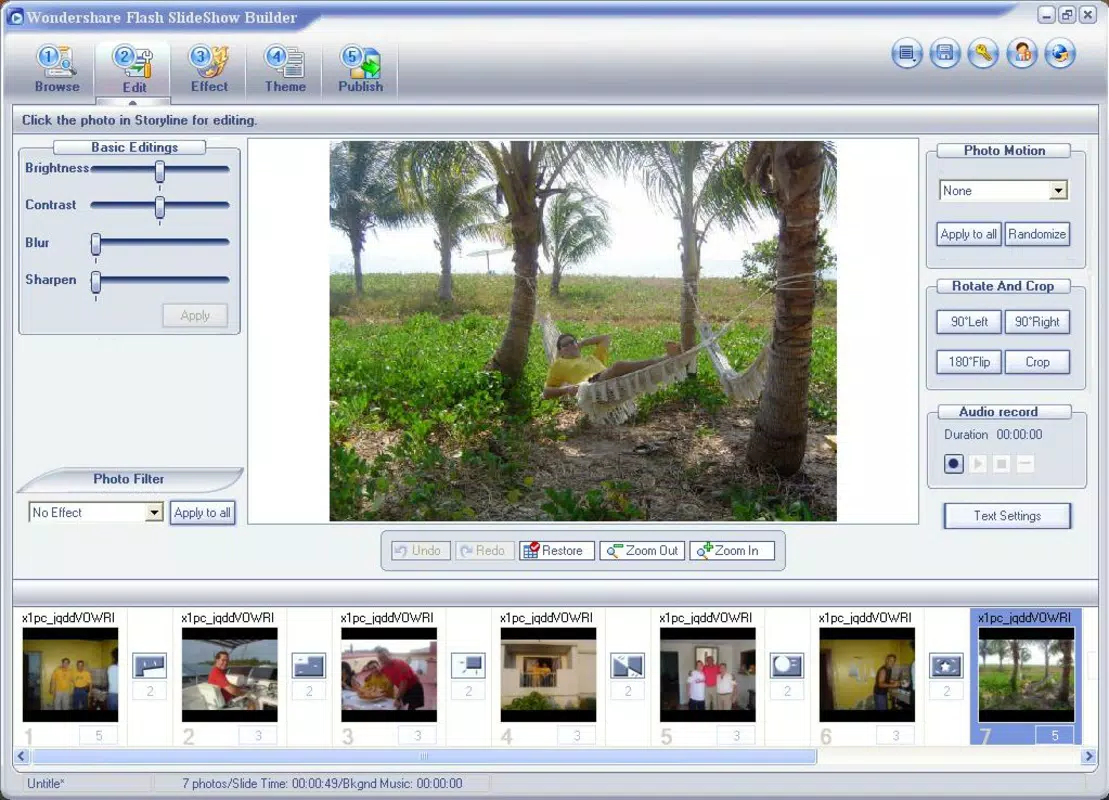
- User-Friendly Editing Tools: Built-in photo editing features enable users to adjust brightness, contrast, and basic image quality directly within the application. These tools are designed to assist users with minimal editing experience in enhancing their visuals before inclusion in the slideshow.
- Diverse Transition Effects: With over 100 transition effects available, users can choose from a variety of animations to add movement and visual interest between slides. This range encourages creative expression and helps distinguish one presentation from another.
- SWF and EXE Output Options: The ability to export slideshows as SWF files makes them easily embeddable on websites or shared online. The EXE format allows for standalone playback on any Windows machine, ensuring broad accessibility without requiring additional software.
- Easy Web Sharing: The app streamlines the process of uploading and distributing slideshows online. Users can publish their creations with minimal steps, making it ideal for individuals who want to share visual stories without technical overhead.
These features collectively serve users who need a reliable, self-contained solution for creating polished presentations. For example, a user preparing a wedding memory recap can import photos, apply a fade transition, enhance image clarity, and export the result as an EXE file to share with guests. Similarly, educators might use the tool to create visual aids with embedded audio narration for classroom use.
Interface, UX & Performance
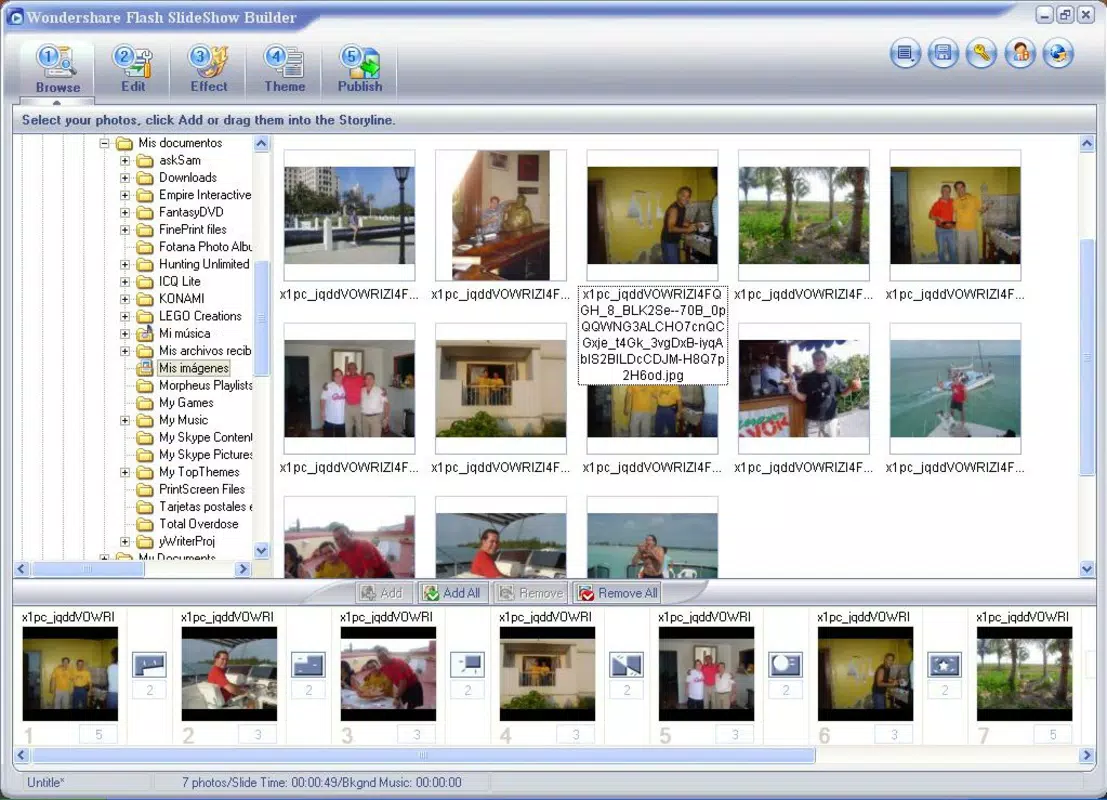
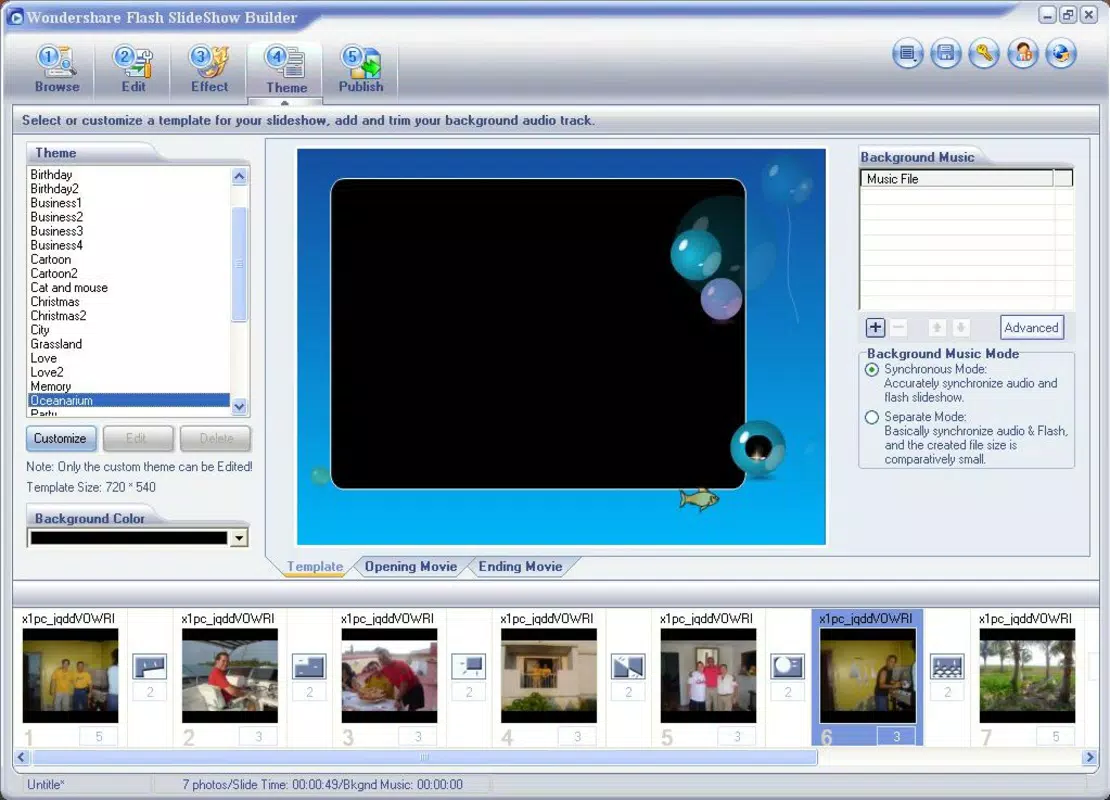
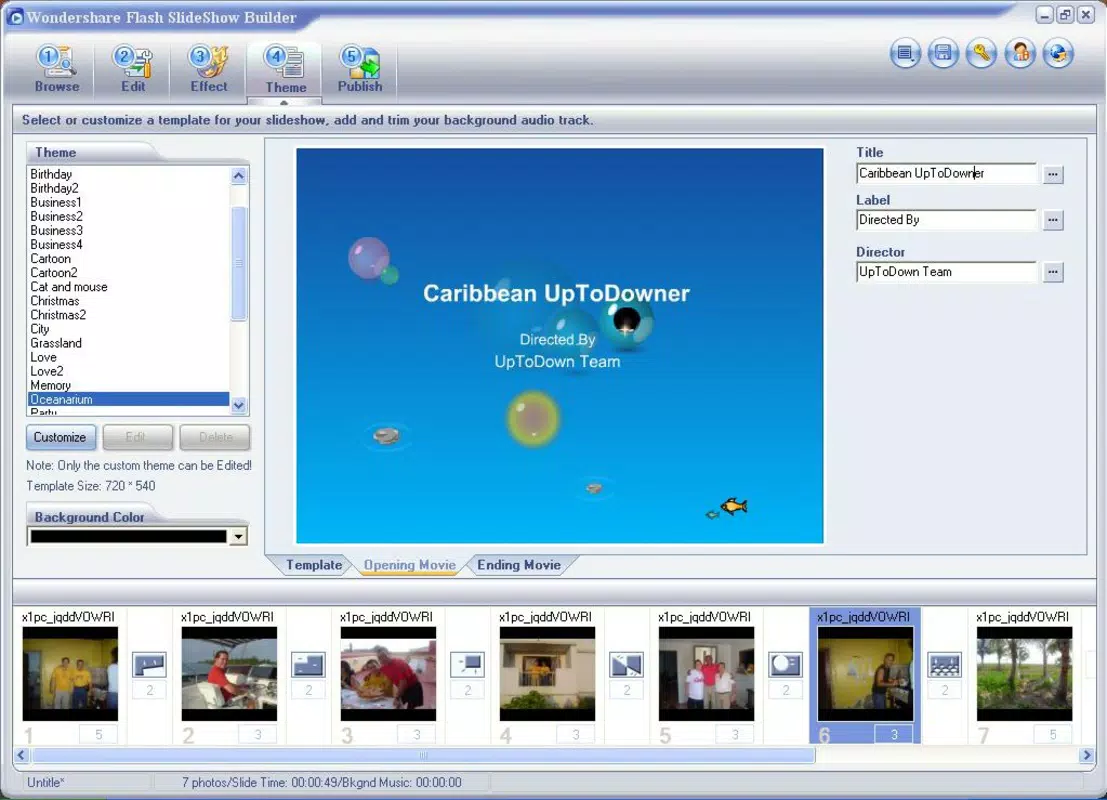
Flash Slideshow Builder features a desktop-oriented interface with a layout designed for straightforward navigation. The main workspace is divided into sections for media import, editing, transition selection, and output configuration. Users can drag and drop images into the timeline, adjust their order, and apply effects through intuitive controls. The visual style is functional, prioritizing usability over aesthetic flair, which aligns with its productivity-focused purpose.
Navigation is linear and predictable, with clear labels and consistent button placement. The workflow is structured to guide users through the creation process step by step, minimizing confusion. Although the developer did not list formal performance metrics, the app’s lightweight file size of 2.5 MB suggests it is optimized for minimal system resource usage. This makes it suitable for older or low-spec Windows machines.
Responsiveness appears to be adequate for basic operations such as image loading, transition previewing, and file export. Stability is likely maintained due to the app’s long release history, though no recent updates or bug reports have been publicly documented. The lack of modern UI trends like dark mode or touch gestures reflects its original design intent for traditional desktop use.
Platform Compatibility & Technical Requirements
Flash Slideshow Builder is designed for the Windows operating system. It is compatible with Windows platforms, though specific version requirements were not listed. The app has a file size of 2.5 MB, indicating a lightweight installation that does not require significant disk space.
Although the developer did not specify minimum OS requirements, the app’s release date of 2007 suggests it was built for older Windows versions such as Windows XP or Vista. Compatibility with modern Windows systems (e.g., Windows 10 or 11) may depend on system emulation or compatibility mode settings. Users should verify functionality on their specific device before installation.
Specific requirements were not listed. The app does not appear to require internet connectivity for core functionality, making it suitable for offline use. No mention of permissions, background processes, or cloud integration was provided.
Pros and Cons
Pros
- Lightweight file size (2.5 MB) reduces storage impact
- Supports a wide range of image and audio formats
- Offers over 100 transition effects for creative flexibility
- Exports to both SWF and EXE formats for versatile sharing
- Includes basic photo editing tools for quick enhancements
- Designed for easy use without requiring advanced technical skills
Cons
- Released in 2007; may lack support for modern Windows features
- Platform limited to Windows; no iOS or Android availability
- No recent updates or developer support information provided
- Interface reflects older design standards without modern enhancements
- File size and age suggest potential compatibility issues on newer systems
- Does not support cloud sharing or mobile access
FAQ
Is Flash Slideshow Builder available for mobile devices?
Flash Slideshow Builder is designed exclusively for Windows. The developer did not provide information on mobile versions or compatibility with iOS or Android.
Can I use Flash Slideshow Builder without an internet connection?
Yes, the app does not require internet connectivity for core functions such as creating, editing, or exporting slideshows.
What file formats are supported by the app?
The app supports multiple image and audio formats, though specific types were not listed in the provided information.
Is the software secure to download and install?
As a productivity tool developed by Wondershare, the app is intended to be secure. However, users should ensure they download from official or trusted sources to avoid potential risks.
How do I update Flash Slideshow Builder?
No update information was provided. Users may need to rely on legacy installation methods or seek alternative tools if updates are unavailable.
Final Thoughts
Flash Slideshow Builder remains a functional tool for users who need to create and share animated photo presentations on Windows. Its ability to generate SWF and EXE files provides a level of control and portability that is still valuable in certain contexts. While its age and lack of modern features are notable limitations, the app continues to serve a specific niche—particularly among users who prefer offline, self-contained solutions.
Those who prioritize simplicity, direct control over output formats, and compatibility with older systems will find value in this software. It’s especially useful for individuals creating personal or small-scale presentations without the need for cloud integration or mobile access.
Despite its outdated interface and absence of recent updates, Flash Slideshow Builder delivers on its core promise: turning photos into engaging slideshows with minimal effort. For the right user, it remains a practical choice.
Download Flash Slideshow Builder now


